

kosli get trail --output markdown renders a trail as GitHub-Flavored Markdown — compliance state, git commit, attestation statuses, and events, with links back to the Kosli app. Pipe it into your CI’s job summary and every pipeline run becomes an information radiator for the trail it produced.
By the end of this tutorial, you will have added a Kosli trail summary to a GitHub Actions job summary and to a GitLab CI pipeline.
Prerequisites
- Install Kosli CLI on your CI runner (e.g. via
kosli-dev/setup-cli-actionon GitHub). - A flow and trail you are already reporting to during the pipeline. See Querying Kosli if you need to find the flow and trail name.
KOSLI_API_TOKENandKOSLI_ORGavailable to the job (see Authenticating to Kosli).
What the markdown output looks like
Run the command locally first to see what will end up in your CI summary:- A
## Trail: <name>heading linked to the trail page in the Kosli app. - A metadata table (name, description, compliance, last modified, origin).
- A
### Git committable with the commit author, timestamp, and subject. - An
### Attestationssection with one headerless table per artifact (and one for trail-level attestations), with each attestation linked to its place on the trail page. Statuses are prefixed with ✅ / ❌ / ⏳; attestations reported but not expected by the template are marked with(+). - An
### Eventstable with timestamps, descriptions, commit links, and compliance state.
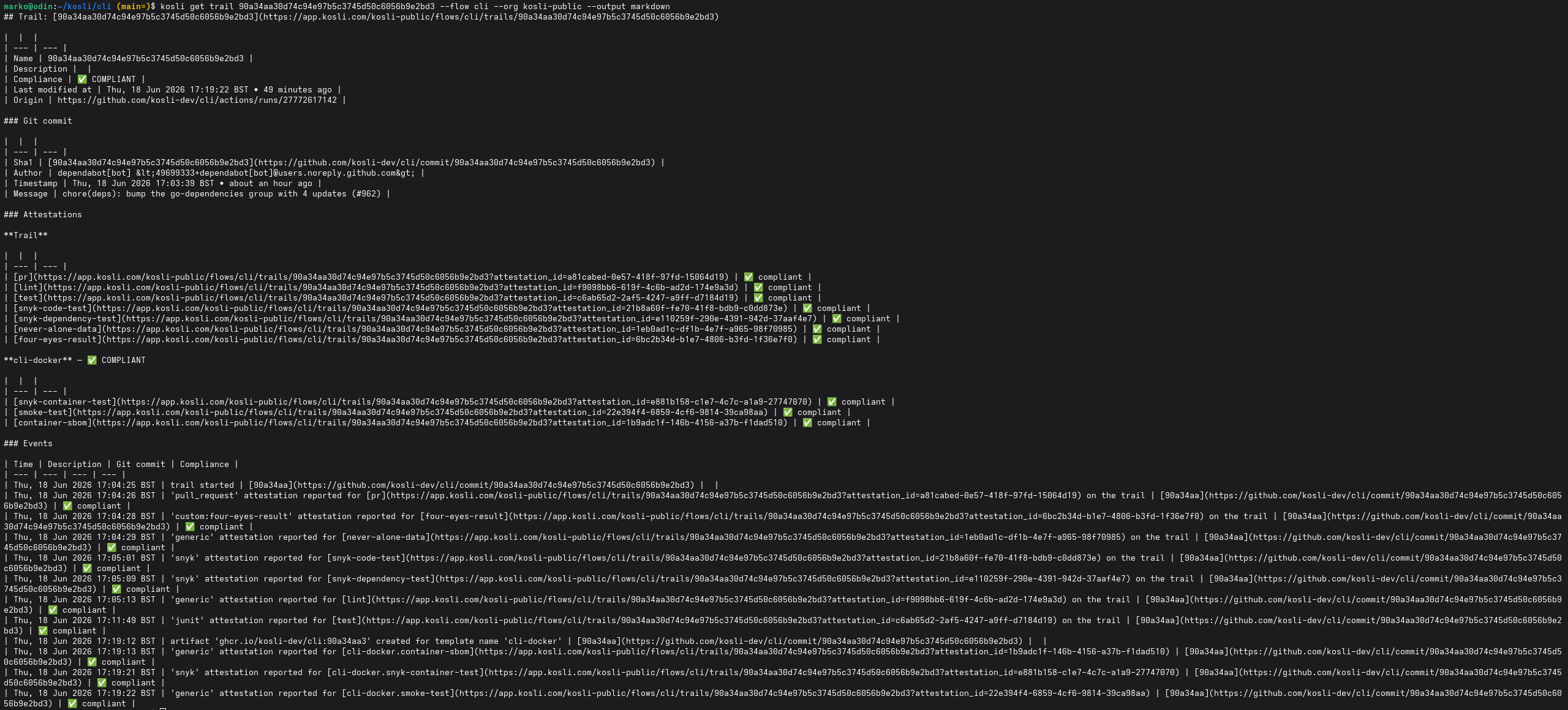
Example trail summary rendered with markdown output.
Publishing the summary
- GitHub
- GitLab
GitHub Actions exposes a per-job markdown summary via the
$GITHUB_STEP_SUMMARY environment variable. Anything you append to that file is rendered on the workflow run page.Add a final step to your job that writes the trail summary to it:if: always() makes sure the summary is published even when an earlier step fails — that is when you most want to see which attestation is missing or non-compliant.The summary appears on the run’s page under the job, with the trail name linking back to the trail in the Kosli app and every attestation linking to its position on the trail.Tips
- Pin a specific trail by exporting
KOSLI_TRAILearly in the pipeline (commonly to the commit SHA you used inkosli begin trail). Every later step — including the summary — then targets the same trail. - The markdown output is stable text. You can also commit it as a build artifact or attach it to a release for an audit-friendly record of what was reported for that build.
- Run
kosli get trail --output markdownlocally against a real trail before wiring it into CI. It is the fastest way to see what your team will see on the pipeline page.
What you’ve accomplished
You have published a live Kosli trail summary — compliance state, attestations, and events — directly onto your GitHub Actions and GitLab CI pipeline pages, turning every build into a feedback channel for the trail it produced. From here you can:- Read the full
kosli get trailreference. - Browse other CI/CD integration patterns.